
Your Digital Implant Passport with ROOTT
Keep your implant information always with you — from product details and implant location to your treatment history.
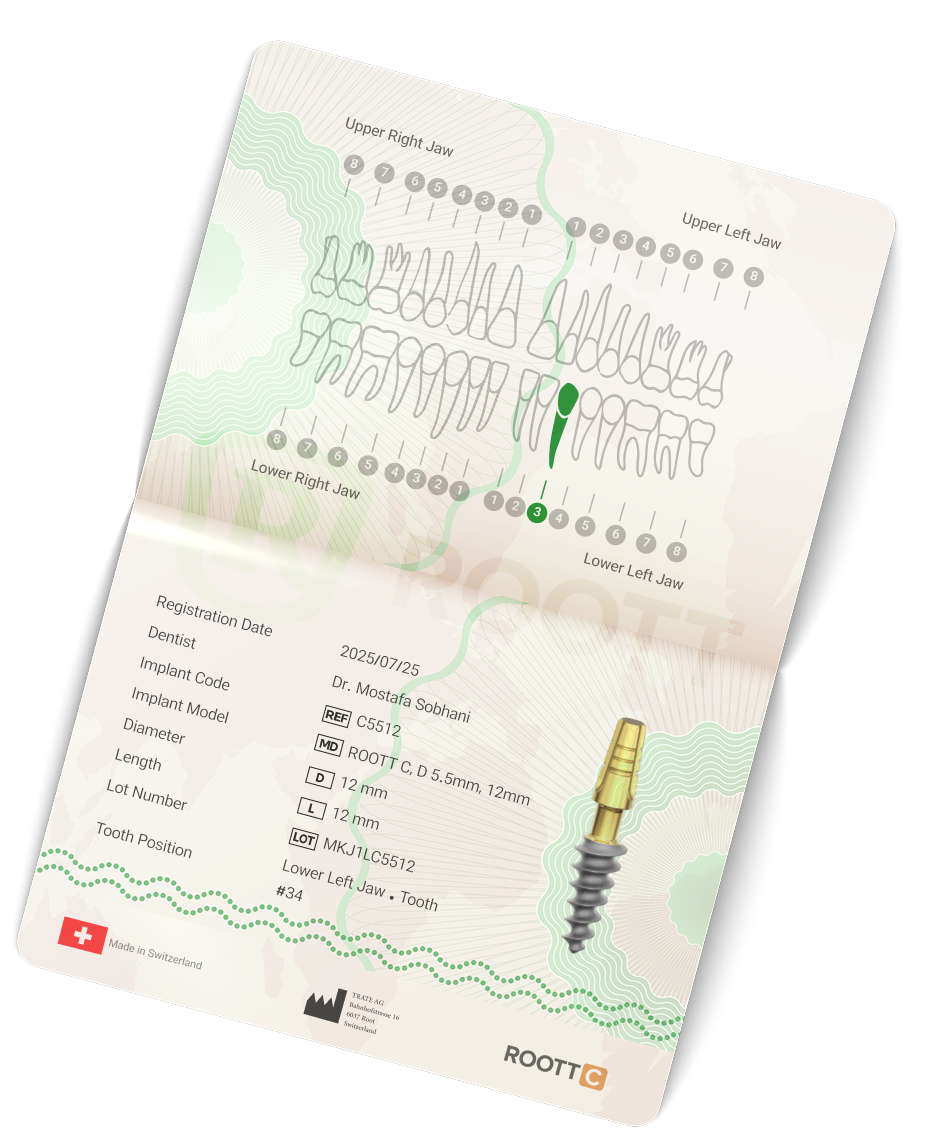
Product Authenticity Verification
Lifetime Access to Implant Information
Access to Exclusive Services, Benefits, and Rewards
Your Implant Information, Always With You
Years after your treatment, important implant details such as product name, serial number, and exact implant location remain accessible. ROOTT Digital Implant Passport securely stores this information in one place.
Information Always Available
Access your implant details and treatment history anytime.
Reliable Authenticity Verification
Verify your implant authenticity directly through the ROOTT system.
Supporting You in the Future
Provide the required information during future dental visits.
More Than Just Information Storage
Register your implant and benefit from future exclusive services and programs.
All Your Important Implant Information in One Place
All important implant information — from product details to treatment records — is securely stored in one place and always available when you need it.
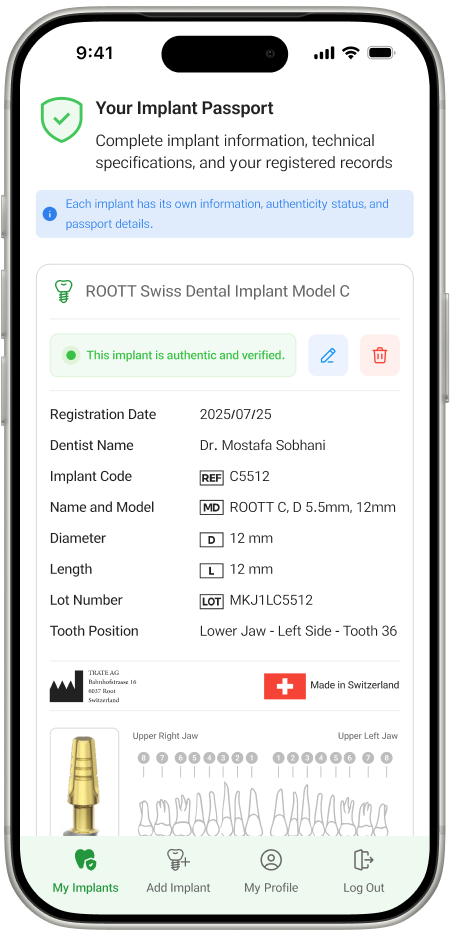
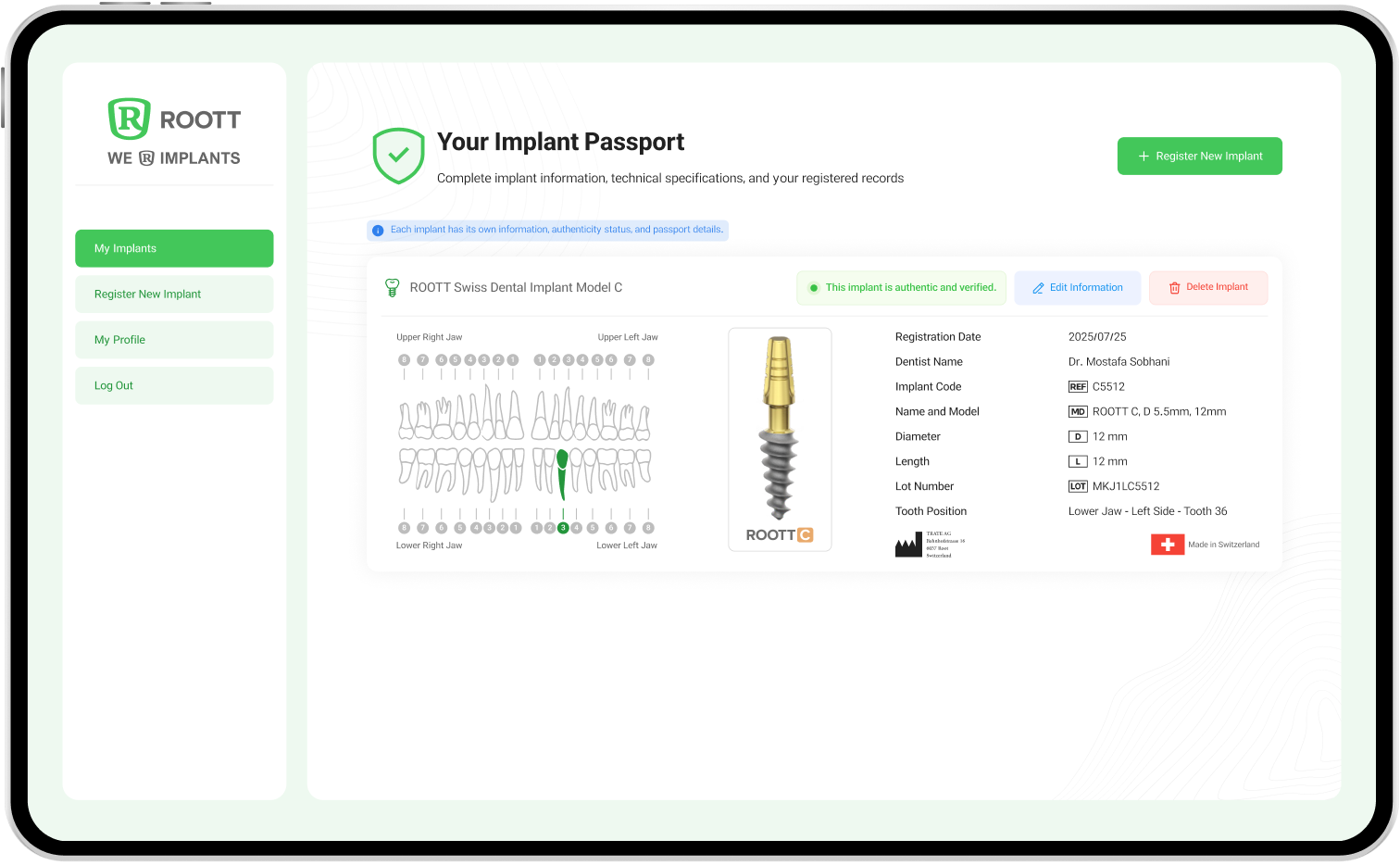
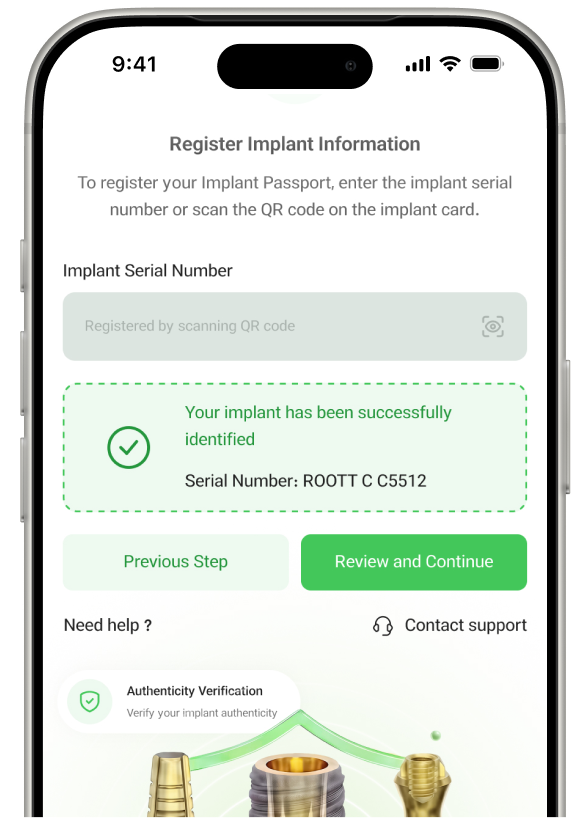
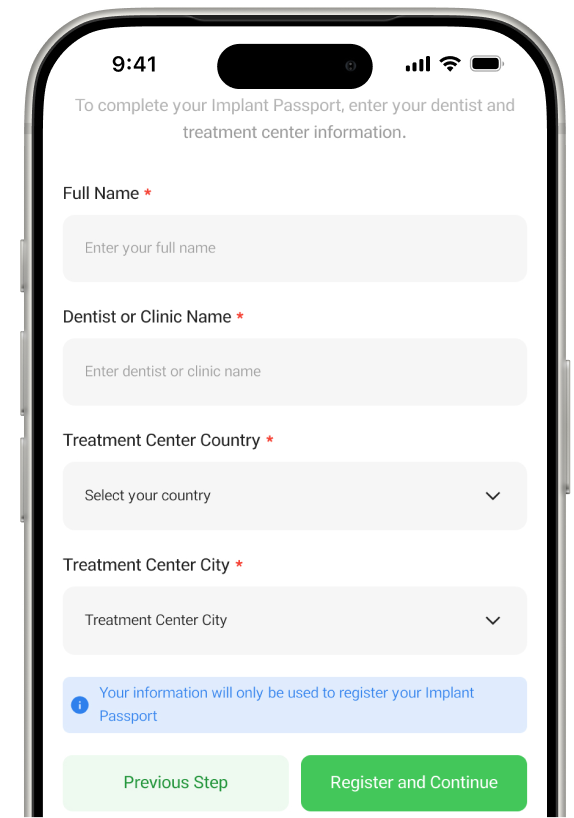
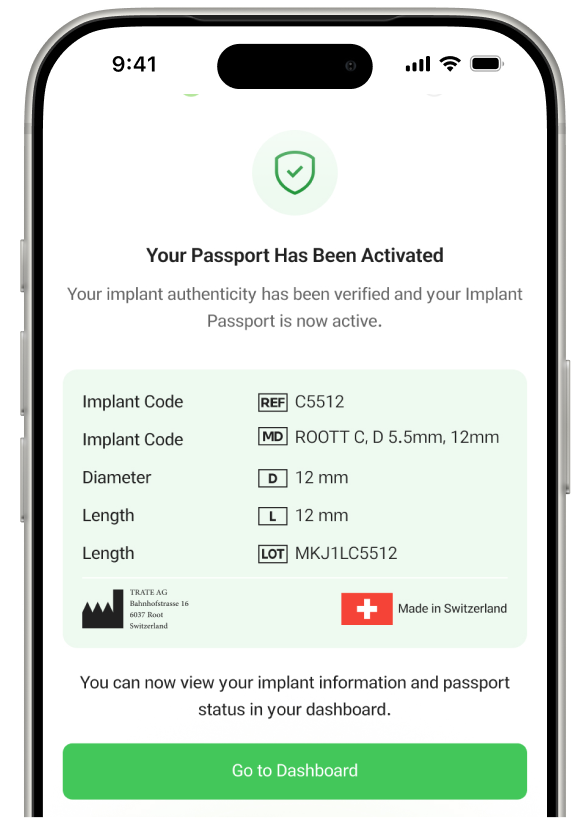
Activate Your Passport in Just a Few Minutes
Your Information Is Always Under Your Control
Your implant information is only accessible through your personal account and will never be shared without your permission.
Secure Login with Verification Code
Confidential Data Protection
Authorized Access Only
Digital Passport — The Beginning of a Smarter Experience
In the future, this service will simplify communication between patients, dentists, and the ROOTT brand — from care reminders to exclusive services.
Exclusive ROOTT User Experience
Participate in loyalty programs and receive exclusive benefits.
Smart Post-Treatment Support
Receive care reminders, appointment notifications, and relevant information.
Better Communication with Your Dental Team
Help your dentist access the information needed for your care.
FAQ
What is an Implant Passport and what is its purpose?
An Implant Passport is a digital document that contains important information about your dental implant (product type, brand, placement date, and other technical details). It stores your implant history and can be accessed whenever needed.
How can I access the Implant Passport system?
There are two ways to access the system: by scanning the QR code provided on the physical passport card or by accessing the website directly through your phone or computer.
How is the Implant Passport issued?
After the dental implant procedure, enter the 15-digit code printed on the product packaging into the system. After completing the required information, your personal Implant Passport will be created.
Where can I find the 15-digit implant code?
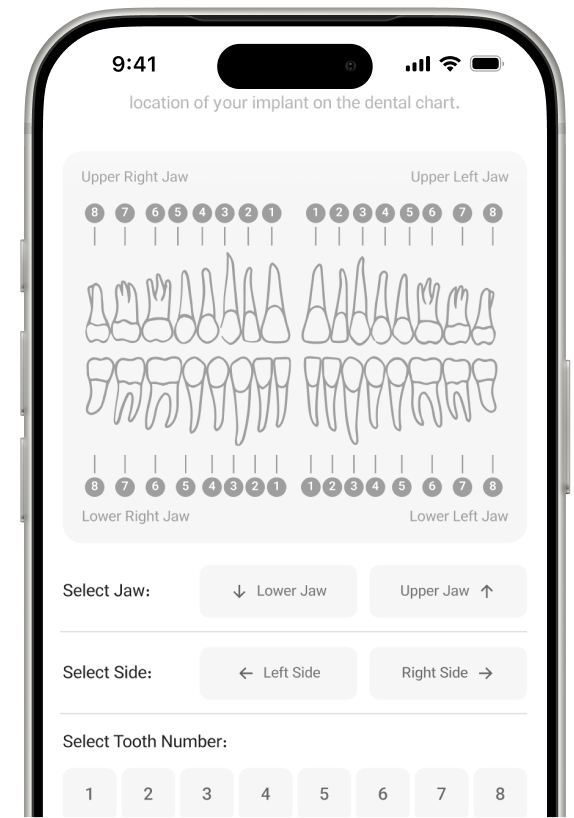
The 15-digit code is printed on the implant product packaging label. To accurately identify the implant location, you can refer to the dental chart shown in your passport.
Can I register the Implant Passport myself?
Yes, you can register your passport yourself. However, if needed, your dentist or dental assistant can help you complete the process.
What should I do if I need help entering the code or face an issue?
Your dentist or dental assistant can help you complete the registration process or resolve any issues you encounter.
Do I need to install any specific software to use this service?
No. The Implant Passport registration and access to your information are available online without installing any additional application.
How can the authenticity of the implanted product be verified?
By entering the 15-digit code into the system, you can view the registered product information, including the brand, model, lot number, and manufacturing date, to verify its authenticity.
Always Stay Informed About Your Implant
Receive implant information, future appointment reminders, and care tips on time.